
Improve the quality or the size of your videos
Video Enhancer can be very useful to improve the quality of your videos or increase the size of them, maintaining the same output performance.
It works on noise disturbances, block artefacts, interlaced images and of course color, contrast and brightness.
When launching the wizard for the first time, a message tells you that to de-noise, de-interlace and perform other processing, you need to download VirtualBub Filter Pack.
One could wonder why they didn't include these filters in their setup if they are necessary. Eventually, after doing that, you can use the wizard to improve videos.
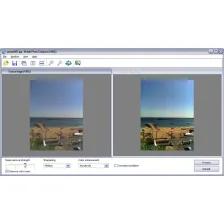
Firstly the application asks you whether the video is interlaced or not and it shows you two images as examples to choose between, so it's very easy to select the option which better suits your case.
It continues by asking about the presence of blocking artefacts, usually caused by strong compression. A query about the noise follows. Ending, you can decide to resize your video, 'upsizing' it if you want maintaining a good quality.
We encountered a problem with the wizard tool, because at the end of the process it froze without saving any settings. It said it would have created a list of filters in the advanced menu to apply to the video but it didn’t.
Also when we pressed next, nothing happened, so we just closed it and manually selected the filters in the advanced mode menu.
It takes a bit of practice to understand which are the right filters to use and when the input video quality is really poor, the improvements are not so visible.
Pay attention when you want to create different versions of your video to rename the files, otherwise the application will overwrite them each time.
































User reviews about Video Enhancer
by Psaikodelik
It's a powerful tool, but it has some stupid limitations and inconsistencies with codecs. It can't produce a video file with both audio and video, they'll be separate...and sometimes the file will have
no specific format (you'll have to convert it after manually writing
.mp4 or .avi). I tried enhancing 30fps video, but it always encoded it
in 25fps (it's slow motion) and there's no option to keep the original
frame rate or interpret in a different frame rate. More
by Anonymous
Big time waster.
After numerous attempts to enhance videos
that have not produced an output file in the designated folder I'm giving up and trying
another product, good thing I didn't buy this
on impulse. More